
Make your own sounds and play them.
A synth for creating: basses, leads, pads, plucks, keys and FX in one click, and ⚄ Surprise me for the ones you hadn’t thought of.
See Howl in detail →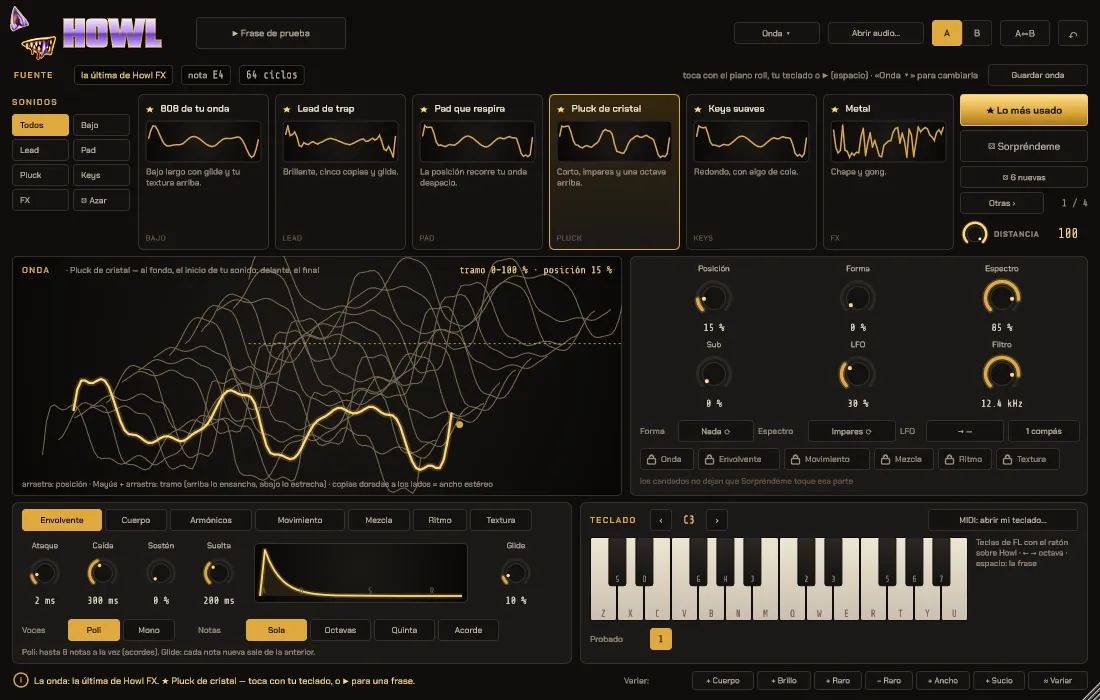
- Start from its waves, from your own audio or from what Howl FX captures
- Chords, mono with glide and favourites
- Play them in the piano roll, like any instrument
HOWL TURNS IT INTO INSTRUMENTSHOWL FX LISTENS TO YOUR TRACK AND PASSES ON ITS WAVE
They share a sound library: what you save in one shows up in the other.

Your sound, turned into another.
Howl FX listens to your track, captures its wave and gives you new sounds that come from it. One click and it plays. Like it? Add it to favourites.
See Howl FX in detail →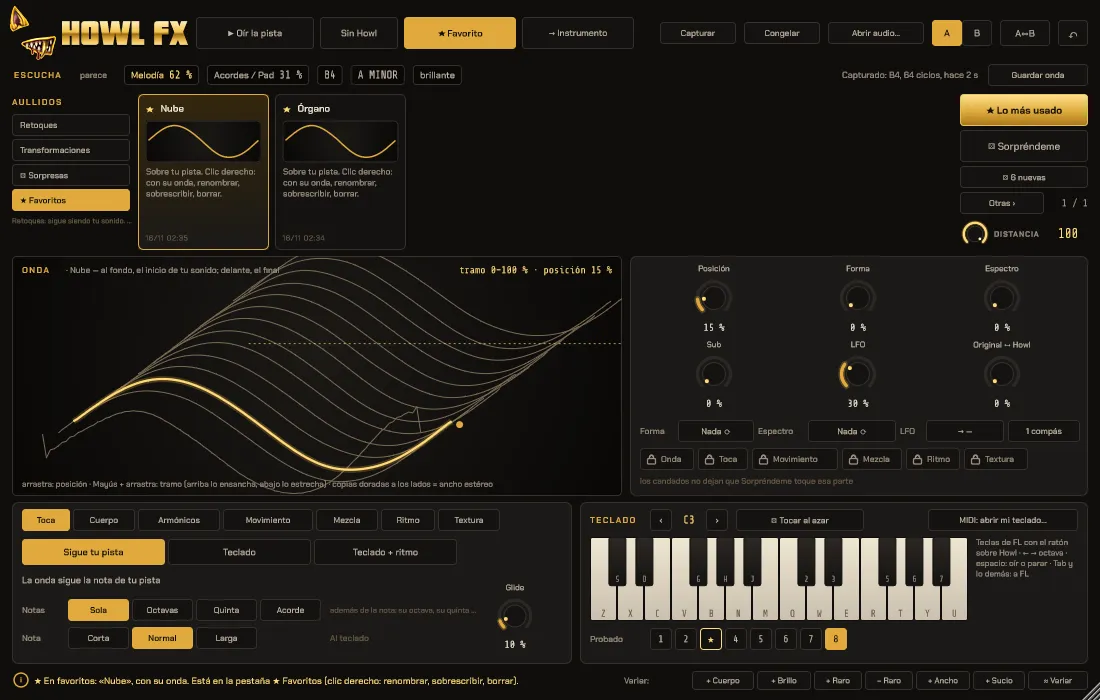
- Tweaks: still your sound
- Transformations: a whole different sound
- ⚄ Surprise me when you don’t know what you’re after

Your voice, produced.
Tuning from natural to robot, doubled vocals, harmonies, talkbox and scenes. For each voice, separately.
See Bones in detail →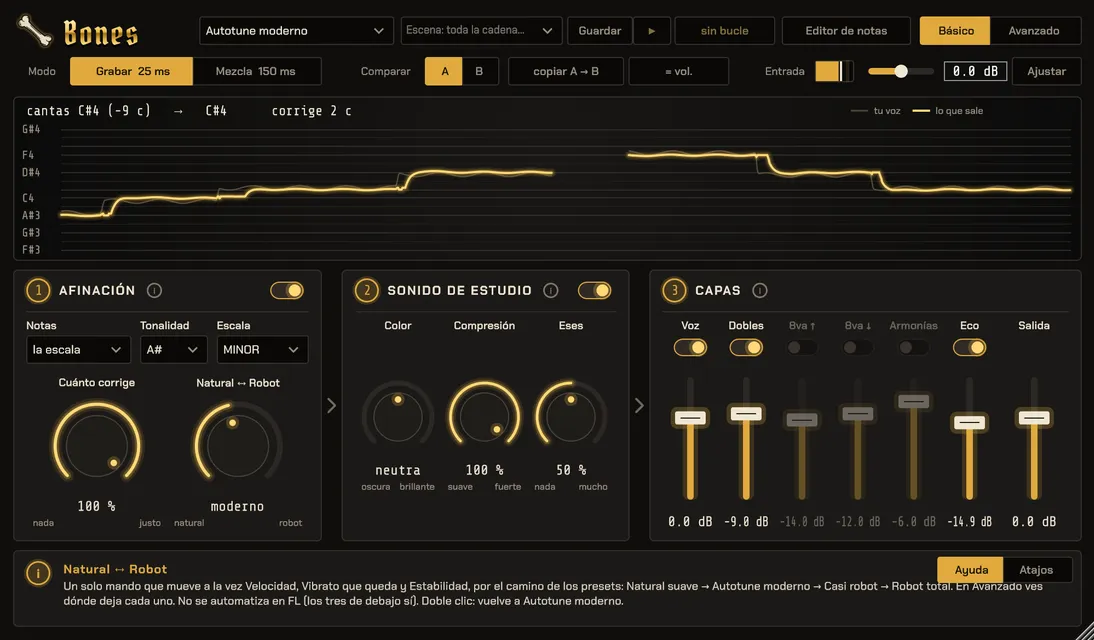
- One knob from Natural to Robot
- Doubles, octaves, harmonies, plus delay and reverb for each voice
- 25 ms Record mode to sing with the effect on
All of them, together, for less
Also the Howl pack: Howl and Howl FX, which share a sound library.
We’ll let you know when it’s out
For now they’re Windows only. Tell us which ones you want on Mac: if there are enough of us, we’ll make them.
Before you ask
Can I try them before buying?
Yes. Every plugin has a free demo: and we’ll email you the link. It’s the same plugin: if you like it, activate it with your serial, nothing else to install.
Do they work in my DAW?
They’re VST3 for Windows 10 and 11, 64-bit. We test them in FL Studio. Other DAWs with VST3 should work, but for now we only guarantee FL Studio. Try it with the demo.
Is there a Mac version?
Not yet. Join the list and we’ll tell you once, when it’s out.
What’s the Howl pack?
Howl (the instrument) and Howl FX (the effect). Howl FX listens to your track and passes its wave to Howl with “→ Instrument”. They share a sound library: what you save in one shows up in the other.
How do I get it?
When you pay you get an email with the serial for each plugin and the installer link. They’re also always in My account, signing in with your email.
On how many computers can I use it?
On 3 at a time. If you change computers, release the old one from the plugin or from My account and activate the new one.
Do I need internet?
Only to activate the plugin the first time and to release a computer. After that it works offline.
I lost my serial or the installer
Sign in to My account with the email you bought with: your serials and downloads are there.
Can I use what I make in songs I’m going to sell?
Yes. What you make with the plugins is yours, including with the factory sounds. The only thing you can’t do is resell the sounds or presets on their own. It’s in the licence.
What if it doesn’t work for me?
Write to us and we’ll look into it: first we try to fix it and, if we can’t, we refund you. Since the demo is the same plugin, we don’t refund for change of mind. It’s all in the terms of sale.